
📐 Understanding the Z and X Axes
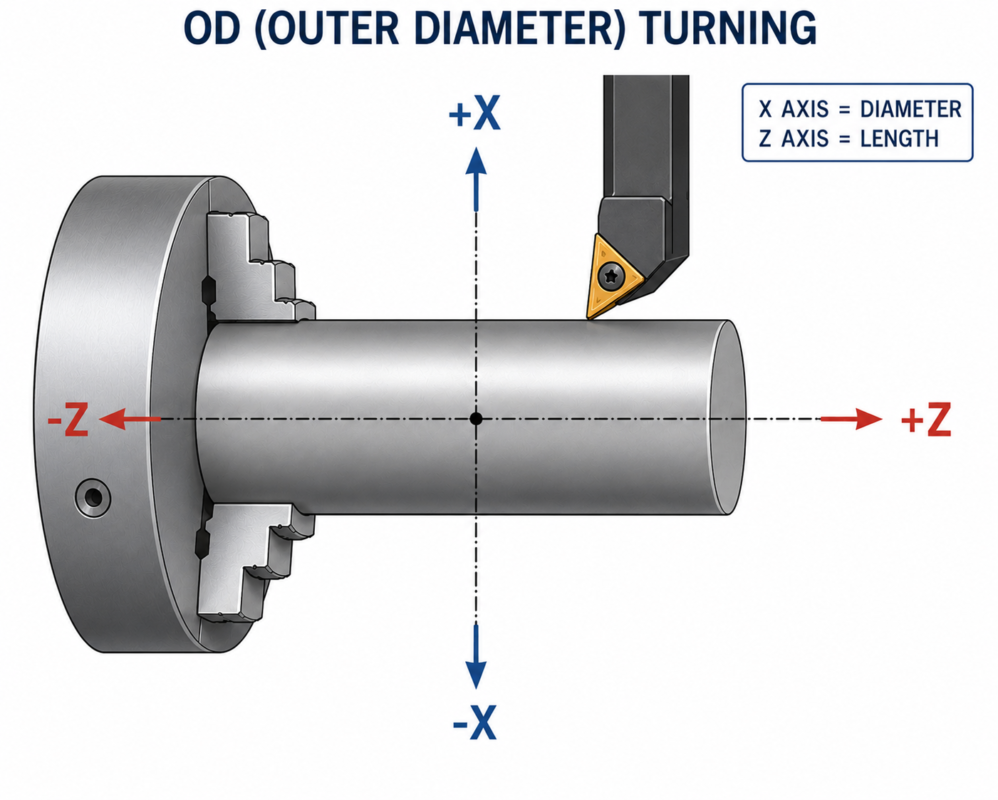
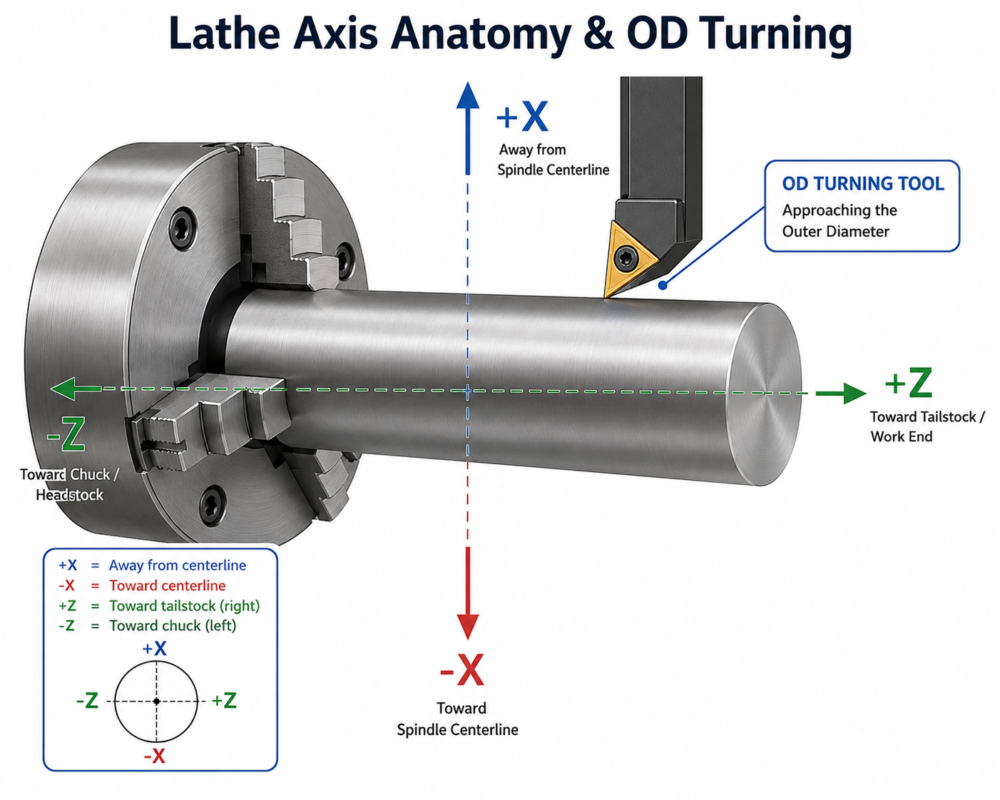
Unlike a 3-axis or 5-axis milling machine, a standard CNC Turning Center operates primarily on two axes:
The Z-Axis:
Runs perfectly parallel to the centerline of the machine spindle.
- Moving toward the chuck/collet is -Z (cutting depth).
- Moving away from the chuck is +Z (retracting).
The X-Axis:
Controls the cross-travel cross slide, moving the cutting tool closer to or further away from the spindle centerline.
- Moving toward the centerline decreases the part size (-X).
- Moving away from the centerline increases the part size (+X).
The Golden Rule: Diameter Programming
Most industrial CNC lathes (like Fanuc, Haas, or Mazak systems) use Diameter Programming by default rather than Radius Programming. This means your X-axis values match the actual blueprint diameter of the part.
🔍 Physical Movement (Radius)
If you manually command the tool turret to move 1.0 mm closer to the center line along the physical X-axis slide…
⚙️ Material Removal (Diameter)
Because the workpiece is spinning rapidly, the tool shaves 1.0 mm off the top and 1.0 mm off the bottom simultaneously. The total diameter drops by 2.0 mm.
How It Looks in G-Code
| Target Dimension on Blueprint | Diameter Code (Standard) | Radius Code (Rare) |
|---|---|---|
| Turn down to a Ø50mm Shaft | G00 X50.0 | G00 X25.0 |
| Turn down to a Ø32mm Pilot | G01 X32.0 F0.2 | G01 X16.0 F0.2 |